Over the weekend, we had one of my nephews over to play with the kids. Apparently, he deemed it a great idea to scare the daylights out of my kids by telling them all sorts of “horror” stories at bedtime. As you can guess, my 6 year was so terrified he would no longer sleep in his own bed, deciding it would be safer to sleep with mom and dad in their room. Well, as a concerned father and uncle, I could not allow such an opportunity go to waste.
I have been “gaming” in one form or another since childhood. Somewhere around my 8th birthday, my dad took my brothers and I to his place and let us play his new Pong system. It was the most amazing thing we’d ever seen. Then came our ColecoVision, which introduced us to Donkey Kong played over the TV. Then the multiple Atari 400 systems we received from Santa guaranteed my life-long obsession. Allowing me to lose myself to alternate realities of countless digital games.
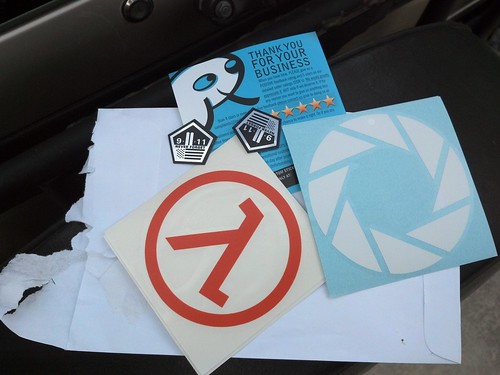
Fast forward to 2013. Yes, I am still at it, much to the chagrin of my wife. After so many years and hours of glorious playtime, I have decided to profess my addiction with vehicle graffiti.
I have a few favorite games of all time. Of them all, I confess the Half-Life and Portal series by Valve have together successfully consumed well over a hundred hours of my life.
Today, I decided to discover just how Verizon Wireless would respond to my inquiry about their releasing my private phone records to the Federal Government, in spite of the fact I’m not being investigated for a crime, nor do they (the Fed) have a warrant for such information (remember that whole Constitution thing?)
Here is the transcript of that brief but revealing chat…
Jimmy: Good morning Jason, how can I help out?
Jason: i'd like to find out how I can be assured you aren't releasing my phone records to the NSA?
Jason: and i'm being totally serious
Jimmy: Yeah I definitely understand Jason. We as a corporation comply with all court orders by the Federal Government, and can unfortunately not comment further.
Jason: is there some sort of privacy policy I can reference?
Jason: so this is the canned answer you guys are supposed to tell everyone right?
Jimmy: I really do understand, Jason. But at this time I cannot comment further, and I do apologize.
Jason: thanks! and I realize you're doing your job. just was curious.
Jimmy: Thanks so much for your understanding Jason.
Regardless of your political affiliation, we are all now witness to the complete and utter shredding of the constitution, right in front of our faces.
In all of this, my disgust and turmoil is not necessarily aimed at Verizon Wireless, but rather the governmental power to make it so. I thought there was checks and balances that kept that from occurring.
Last month I pre-ordered Tomb Raider on Steam, and I was able to play it the instant it officially launched Monday night. I had originally only planned on playing an hour or so to get a feel for the game-play and story-line…I played for 6 hours. Having played most of the original Tomb Raiders multiple times, I can testify that every aspect of this game is outstanding. I am looking forward to many more hours finishing the campaign and completing all the tombs and side-stories.